
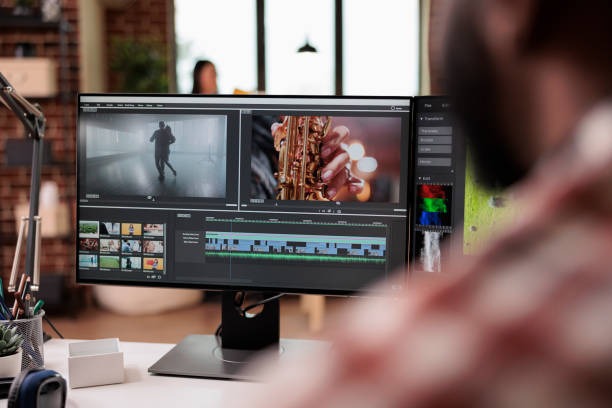
Are you looking to level up your social media game but feel overwhelmed by complicated software? You’ve come to the right place. Creating professional-looking content doesn’t have to be a headache. In this Instagram video editing guide, we will break down the essential tools and simple techniques you need to transform raw footage into viral-worthy masterpieces. Whether you’re a brand or a hobbyist, mastering these easy steps will help you grab attention and grow your audience in no time.
Why Instagram Video Editing Is Important
People scroll very fast on Instagram. If your video does not catch attention in the first few
seconds, viewers will move on. Editing helps you:
- Remove boring parts
- Add music and text
- Improve video quality
- Keep viewers watching longer
- Make your content look professional
A well-edited video increases likes, comments, shares, and followers.
Types of Instagram Videos
Before editing, you should know the main types of videos on Instagram:
- Reels – Short vertical videos, usually 15 to 90 seconds
- Stories – 15-second short clips that disappear after 24 hours
- Feed Videos – Longer videos posted on your profile
Each type may need slightly different editing, but the basics are the same.
Tools for Instagram Video Editing
There are many apps and software programs you can use. Some are simple for beginners, and
others are more advanced.
Popular tools include:
- CapCut
- InShot
- Adobe Premiere Pro
If you are just starting, mobile apps like CapCut and InShot are very easy to use. They allow
you to trim clips, add music, add text, and apply filters quickly
Step 1: Start with a Strong Hook
The first 2 to 3 seconds of your video are very important. This is called the “hook.” A strong
hook makes people stop scrolling.
You can create a hook by:
- Asking a question
- Showing the final result first
- Adding bold text on the screen
- Starting with action instead of talking
For example, instead of saying “Hi everyone,” you can say, “Here’s how I doubled my
followers in one month.” This makes viewers curious.
Step 2: Trim Unnecessary Parts
After recording your video, cut out mistakes, long pauses, and boring sections. Instagram
videos should be short and fast.
When editing:
- Remove repeated words
- Cut long silences
- Keep only important moments
Shorter and faster videos usually perform better.
Step 3: Add Music
Music makes videos more engaging. Instagram provides many trending songs and sounds
inside the app. Using popular music can help your video reach more people.
Choose music that matches your content:
- Energetic music for fitness videos
- Calm music for beauty or lifestyle content
- Fun music for comedy videos
Make sure the music does not overpower your voice if you are speaking.
Step 4: Add Text and Captions
Many users watch Instagram videos without sound. Adding text helps them understand your
message.
You can add:
- Titles
- Step-by-step instructions
- Subtitles
- Key points
Keep the text simple and easy to read. Do not use too many fonts or bright colors. Place the
text where it does not cover important parts of the video.
Step 5: Use Simple Transitions
Transitions are effects between clips. They make your video look smooth and professional.
Common transitions include:
- Quick cuts
- Fade in and fade out
- Zoom effects
Do not use too many transitions. Too many effects can make your video look messy. Simple
editing looks cleaner and more professional.
Step 6: Improve Lighting and Color
Good lighting is very important for Instagram videos. Try to record near a window with
natural light. If possible, use a ring light.
During editing, you can adjust:
- Brightness
- Contrast
- Saturation
Do not over-edit the colors. Keep them natural and clear
Step 7: Keep the Right Format
Instagram videos work best in vertical format (9:16 ratio). Make sure your video fills the
whole screen. Avoid black bars on the sides.
Good video quality is also important. Try to export your video in HD (1080p) for better
results.
Tell a Clear Story
Even short Instagram videos should have a simple structure:
- Beginning – Hook
- Middle – Main content
- End – Call to action
A call to action tells viewers what to do next. For example:
- “Follow for more tips.”
- “Save this post.”
- “Comment your opinion.”
This increases engagement and helps grow your account.
Common Mistakes to Avoid
Here are some common mistakes beginners make:
- Talking too slowly
- Adding too many effects
- Using hard-to-read fonts
- Making videos too long
- Ignoring sound quality
Always watch your video before posting. Make sure everything looks and sounds clear
Instagram video editing is not difficult if you follow simple steps. Focus on strong hooks,
clean cuts, clear text, and good music. Keep your videos short, interesting, and easy to
understand.
You do not need expensive tools to start. Simple apps like CapCut or InShot are enough for
beginners. With regular practice and creativity, you can create engaging Instagram videos
that attract more viewers and help grow your account.