
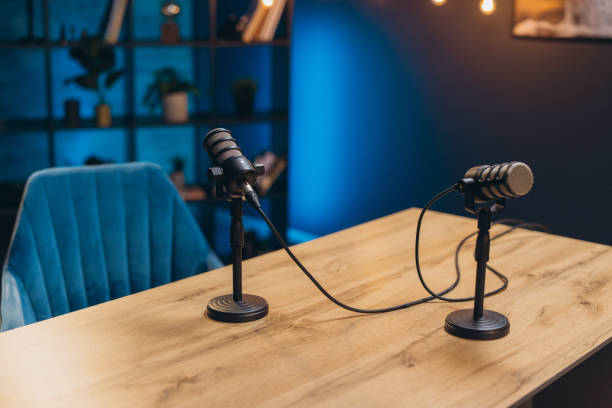
Podcast video editing is becoming more important as many creators now record their
podcasts on video. Platforms like YouTube and Spotify allow users to watch as well as listen
to podcasts. Because of this, good video editing helps make podcasts more interesting and
professional.
If you are new to podcast editing, do not worry. You do not need to be an expert. With basic
skills and simple tools, you can create clean and engaging podcast videos. This article
explains podcast video editing in easy wording.
What Is Podcast Video Editing?
Podcast video editing means improving your recorded podcast video before publishing it. It
includes:
- Cutting mistakes and long pauses
- Improving sound quality
- Adjusting lighting and colors
- Adding titles and captions
- Adding intro and outro clips
The goal is to make your podcast easy to watch and listen to.
Why Podcast Video Editing Is Important
Many people think podcasts are only about talking. But when your podcast is in video format,
viewers can see your expressions, body language, and reactions. Good editing makes the
video smooth and professional.
Here are some benefits of editing your podcast video:
- It removes boring or unnecessary parts
- It improves audio clarity
- It keeps viewers engaged
- It makes your content look professional
- It helps grow your audience
A well-edited podcast builds trust with viewers.
Tools for Podcast Video Editing
There are many editing tools available. Some are easy for beginners, while others are more
advanced.
Popular editing software includes:
- Adobe Premiere Pro
- Final Cut Pro
- DaVinci Resolve
If you are just starting, you can also use simple editing apps on your computer or phone.
Choose a tool that feels comfortable and easy for you to use.
Step 1: Organize Your Footage
Before editing, make sure your video and audio files are properly saved and organized. If you
recorded with multiple cameras or microphones, label each file clearly.
Good organization saves time and reduces confusion during editing.
Step 2: Improve Audio Quality
In podcasts, audio is the most important part. Even if the video is good, poor sound can make
people stop watching.
Here’s what you should do:
- Remove background noise
- Adjust volume levels
- Make voices clear and balanced
- Remove echo if possible
Most editing software has simple tools for noise reduction and audio adjustment.
If you use multiple microphones, make sure all voices are at similar volume levels. No one
should sound too loud or too soft.
Step 3: Cut Unnecessary Parts
Long pauses, repeated words, technical problems, or off-topic discussions can make your
podcast boring.
While editing:
- Remove long silences
- Cut mistakes
- Trim repeated sentences
- Keep the conversation natural
Do not cut too much. Podcasts should still feel like a real conversation.
Step 4: Add Intro and Outro
A good podcast usually starts with a short intro and ends with an outro.
The intro can include:
- Your podcast name
- A short music clip
- A welcome message
The outro can include: - A thank-you message
- A reminder to subscribe
- Social media information
Keep both short and simple.
Step 5: Add Titles and Graphics
Adding text to your video makes it more professional. You can include:
- Speaker names
- Topic titles
- Key points
- Subtitles
Subtitles are very helpful because many people watch videos without sound. They also
improve accessibility.
Keep text clear and easy to read. Use simple fonts and avoid too many colors.
Step 6: Adjust Video Quality
Good lighting makes a big difference. If your video looks dark, you can increase brightness
and contrast during editing.
You can also:
- Adjust colors
- Improve sharpness
- Crop unnecessary background
- Switch between camera angles
If you recorded with two cameras, you can change angles when someone new starts speaking.
This makes the video more dynamic and less boring.
Step 7: Add Background Music (If Needed)
Some podcasts add soft background music during the intro or outro. Music can make the
podcast feel more polished.
However, do not play music while people are speaking, unless it is very soft. The main focus
should always be the conversation.
Keep the Editing Simple
Many beginners make the mistake of adding too many effects. Podcast videos should look
clean and natural. Avoid:
- Too many transitions
- Loud sound effects
- Bright or distracting animations
- Fast zooms
Simple and clean editing works best for podcasts
Exporting the Final Video
After editing, export your video in good quality. Most platforms recommend:
- HD resolution (1080p)
- Clear audio format
- Correct aspect ratio
If uploading to YouTube, horizontal format works best. For social media clips, you can also
create short vertical versions to share on other platforms.
Creating Short Clips from Podcasts
One smart editing technique is making short clips from long episodes. These short clips can
be posted on social media to attract more viewers.
Choose:
- Interesting discussions
- Emotional moments
- Funny parts
- Helpful advice
Keep these clips under one minute for better engagement.
Common Mistakes to Avoid
Here are some common mistakes in podcast video editing:
- Ignoring audio quality
- Keeping long boring sections
- Using too many effects
- Not adding subtitles
- Uploading without checking the final video
Always watch your full edited video before publishing
Podcast video editing is about making your content clear, engaging, and professional. You do
not need advanced skills to start. Focus on good audio, clean cuts, simple text, and clear
visuals.
With the right tools and regular practice, you can create high-quality podcast videos that
attract and retain viewers. Keep your editing simple, stay consistent, and continue improving
with each episode. Over time, your podcast will look better, sound better, and reach more
people.